Posts

Disassemble and rebuild a desktop PC
Image
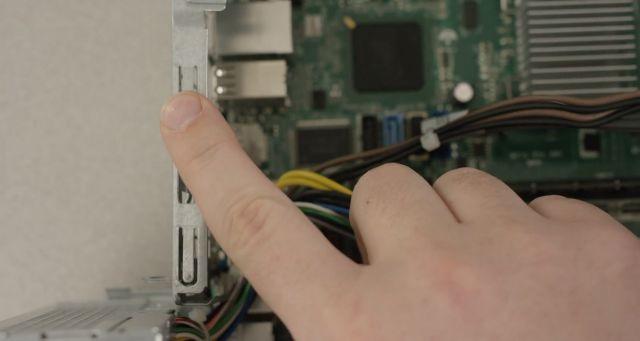
Disassemble and rebuild a desktop PC Tools needed  Small Phillips Head screwdriver  Flathead screwdriver  Step 1 Unplug your computer and peripheral items Turn off the computer, unplug the power cord and unplug any peripheral items attached to the computer, such as the keyboard, mouse, monitor, headphones, and any external drives. Wear a grounding strap or touch an unpainted metal part of the computer to discharge any static electricity. If you walk across a carpet at any point, touch an unpainted metal part of the computer again to discharge the built up static electricity. Step 2 Remove side covers Remove at least one of the side covers, usually the right side as you face the front of the computer. You might find it easier to access all the parts if you remove both side covers; there are sometimes thumb screws on the covers to make access easier. Step 3 Disconnect connectors Disconnect all the connectors, then remove any card readers and internal DVD players. These are ...

Computer commands

Computer commands A shortcut is not the actual file or folder but only a pointer to where the original file or folder is located. Dot stands for damage over time and it can be used in a computer that can refer to acts that slowly cause damage within a computer. The root file is at the very top of the file system on a device. Address space is the amount of memory allocated for all of the possible addresses for a computational entity. Address bus is the computer bus architecture used to transfer data between devices. Windows safe mode if a problem doesn't happen in safe mode it means that the default settings and basic drivers aren't causing the issue. Cpm is a measure of an impression that goes on an industry standard for selling some ads on the websites. Tpm stands for a trusted platform module that can securely store artifacts that are used to authenticate the platform to your device. Malware is an intrusive software that was designed to damage and destroy computers and...

Batch script flies

Batch script flies A domain is a set of computers and services that share resources. Microsoft Active Directory is a database and set of services that connect users with the network resources so that they can get their work done. The log is a file that records either events that occur in an operating system or other software runs or have messages that use different users of communication. Event is an action or occurrence recognized by the software often originating asynchronously from the external environment that can be handled by the software. The Event Viewer Program is a tool in the Windows computer that displays some details of information about significant events on the device. The program is a detailed plan/procedure for solving a problem with computers or more specifically an unambiguous ordered sequence of computation instructions that are necessary to achieve such as solving a solution. A security log is used so that people can track security related information on the...

The troubleshooting process

The troubleshooting process - POST - Firmware Configuration (Post, Bios, Cmos and Uefl) - System boot process - Electrical Power Issues - CPU Architectures and Enhancement - RAID - Cables and External Connectors - Monitors - Hardware Upgrades - Specialized configuration - Responsibilities of a computer tech (most to least often) * Daily Troubleshooting * Periodic Hardware and Software Maintenance 1. Application 2. Operating System Upgrades and Patches Hardware Upgrades Design and Build A good troubleshooter - Understand the computer architecture so that it can identify what subsystem is causing the issue. - Can work with a person to identify the problem at hand. - Is patient and kind regardless of the Pibcac or ID 10T issues. - Can develop the problem solving the strategy and can under promises andover delivers How can the CPU know how to communicate with the devices that surround it? * BIOS/UEFI * CMOS * Option ROM * Device Drivers The early motherboard had multiple controllers...

Keyboard working functions

How do a keyboard work A keyboard works by when you press a letter/button on a keyboard the keyboard will scan the logic in the keyboard the keyboard will send a key code to the keyboard controller to be stored in the keyboard register. The CPU will retrieve the key from the keyboard it will send an instruction from the keyboard controller instruction set to the KBD controller which will place it on the data bus. BIOS is the firmware that comes with the motherboard that stored in the BIOS chip is different than the CMOS chip. Two types of hardware the BIOS has to deal with are: Non changeable hardware such as the keyboards and speaker and changeable hardware such as the memory and disk drivers. Specific details about the changeable hardware is stored in CMOS. Saving configuration from the UEFI writes information to the CMOS. System will notify you if info in CMOS does not match what it finds in the system. CMOS is volatile memory. It requires power that is supplied from the battery on ...

The troubleshooting process

Image
The troubleshooting process

Value input

x = float(input("Enter value for x: ")) # Write your code here. print("y =", y)